16 TikTok slideshow ideas for apps, with hooks
16 TikTok slideshow ideas for app and product accounts, each with a hook to copy, the slides it needs and an example drawn for a budgeting app.
· Updated · 7 min read · by Reelazy
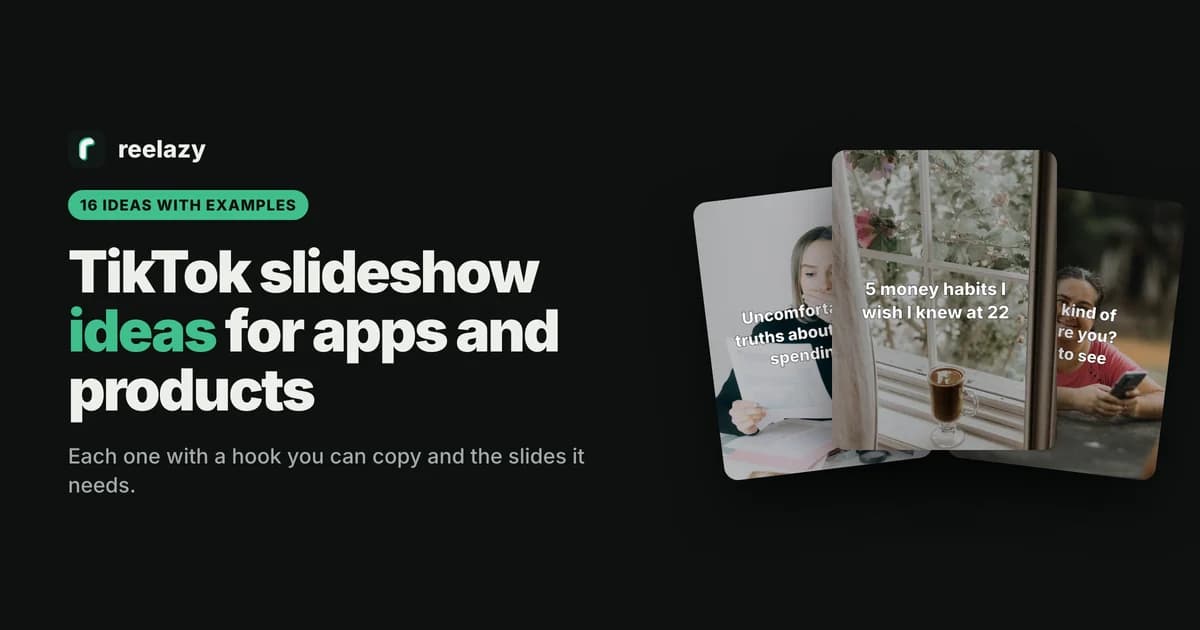
Most lists of TikTok slideshow ideas are written for creators: memes, photo dumps, sad stories, aesthetic boards. They run to 50 ideas or more, and few of them say what goes on each slide. If you run an app, you need something narrower: ideas that are worth a save on their own and lead, without a hard sell, to what your product does.
Below are 16 of those. Each has a hook you can adapt, the slides it needs, and a hook slide drawn by our renderer for one made-up example, @yourapp, a budgeting app. Swap money for your own topic: sleep, language learning, workouts, focus.
How to pick TikTok slideshow ideas for an app
TikTok's Creator Academy lists the themes it sees working in photo posts: human interest, event highlights, memes, evolutions, humor, recipes, info sharing, tutorials and round-ups (photo posts, updated July 3, 2026). It also says a photo post should not be a photo dump: it needs "a clear beginning, middle, and end".
For an app, three filters narrow that down:
- Useful without the app. A viewer who never downloads anything should still get something worth saving.
- Close to the job your app does. A budgeting app posts about money habits, not about morning routines in general.
- The product comes last, and softly. One slide, said like a tip from a friend. No price on slide 1, no made-up results or customers.
Each idea below follows the same shape: slide 1 is the hook, the middle slides carry one point each, the last slide names the product.
Slideshow ideas that teach (1 to 8)
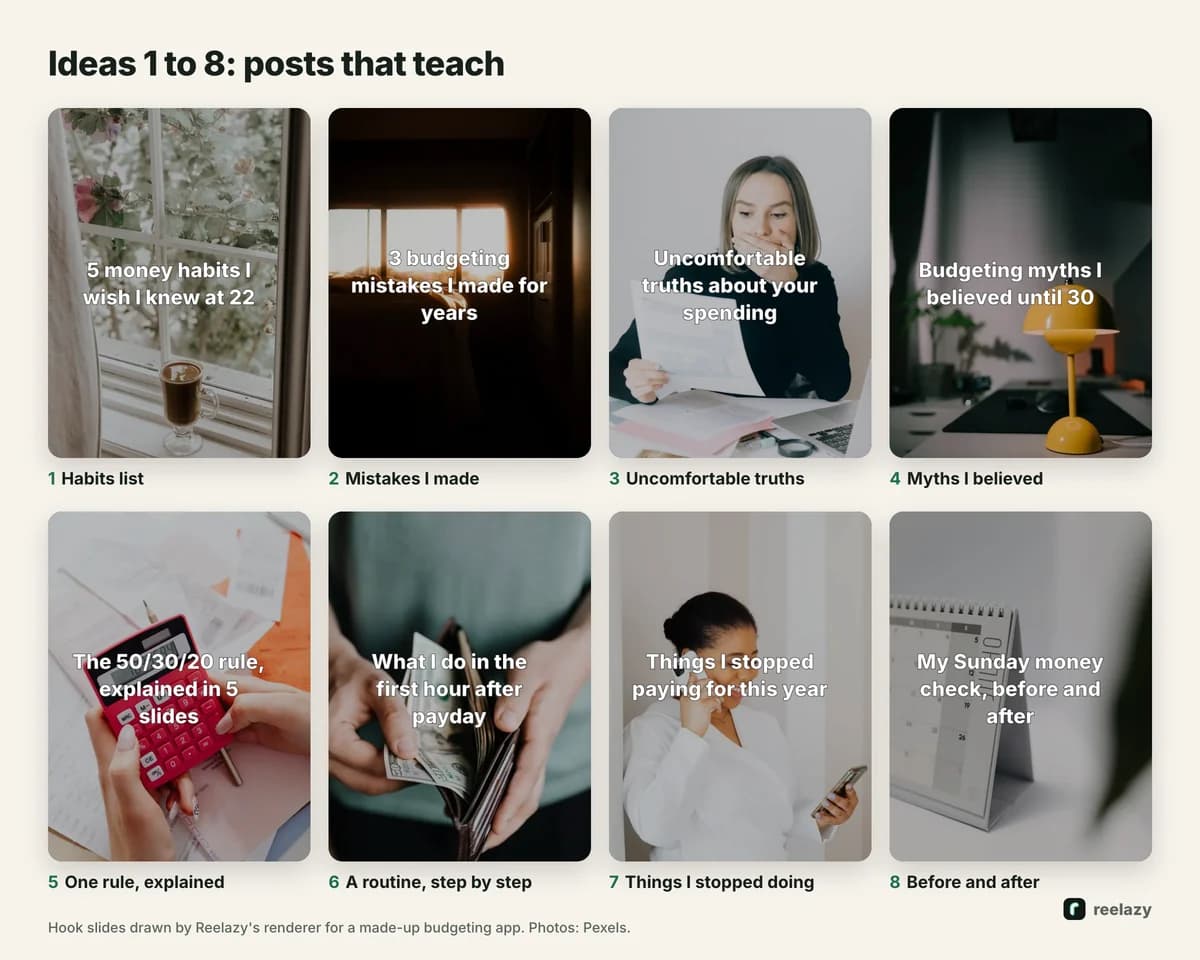
- Habits list. "5 money habits I wish I knew at 22". One habit per slide, the app as the last habit. The most reliable listicle there is.
- Mistakes I made. "3 budgeting mistakes I made for years". One mistake and its fix per slide. The mistakes format works because people check themselves against each one.
- Uncomfortable truths. "Uncomfortable truths about your spending". One short, direct truth per slide and why it matters (truths format).
- Myths I believed. "Budgeting myths I believed until 30". Myth on top, what is true underneath. Keep it fair: no straw men.
- One rule, explained. "The 50/30/20 rule, explained in 5 slides". A rule people have heard of, made concrete with one example per slide.
- A routine, step by step. "What I do in the first hour after payday". Numbered steps. Good for saves, because people come back to follow it.
- Things I stopped doing. "Things I stopped paying for this year". Each slide one thing and what changed. Relatable, easy to comment on.
- Before and after. "My Sunday money check, before and after". Two to four slides. It only works if the change is clear at a glance.
Slideshow ideas that start a conversation (9 to 16)
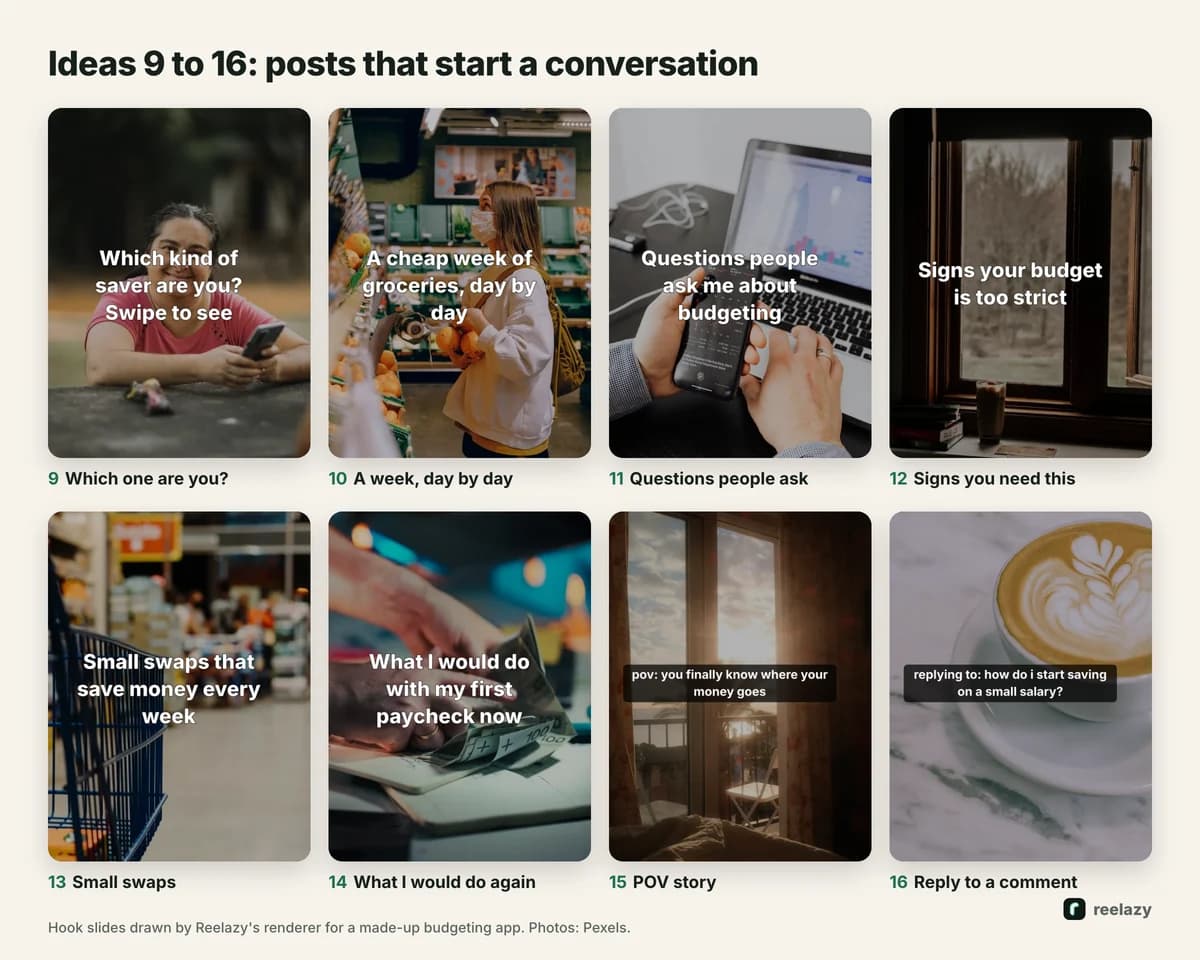
- Which one are you? "Which kind of saver are you? Swipe to see". One type per slide. People comment their type.
- A week, day by day. "A cheap week of groceries, day by day". Seven slides, one per day. A diary that teaches by example.
- Questions people ask. "Questions people ask me about budgeting". One question and a short answer per slide. Use the questions from your own support inbox.
- Signs you need this. "Signs your budget is too strict". Each sign is a small moment people recognise.
- Small swaps. "Small swaps that save money every week". This for that, one swap per slide.
- What I would do again. "What I would do with my first paycheck now". Advice to a younger self. Warm and easy to share.
- POV story. "pov: you finally know where your money goes". Text in TikTok's own dark box, lowercase, told in beats: the problem, what you tried, what changed. The story format never invents results.
- Reply to a comment. "replying to: how do i start saving on a small salary?". Answer a real question from your comments over five slides. It tells the asker, and everyone else, that you read them.
Every hook above fits on a slide in under 14 words. If yours runs longer, cut it before you make the rest (how long slide text should be). More hook patterns, sorted by type, are in the TikTok hooks library.
The best source of ideas: copy a format that works
The ideas above are a starting list. The better source is the slideshows already doing well in your niche. When one gets far more saves and comments than its account usually does, the format is doing some of the work: the hook pattern, the number of slides, the look.
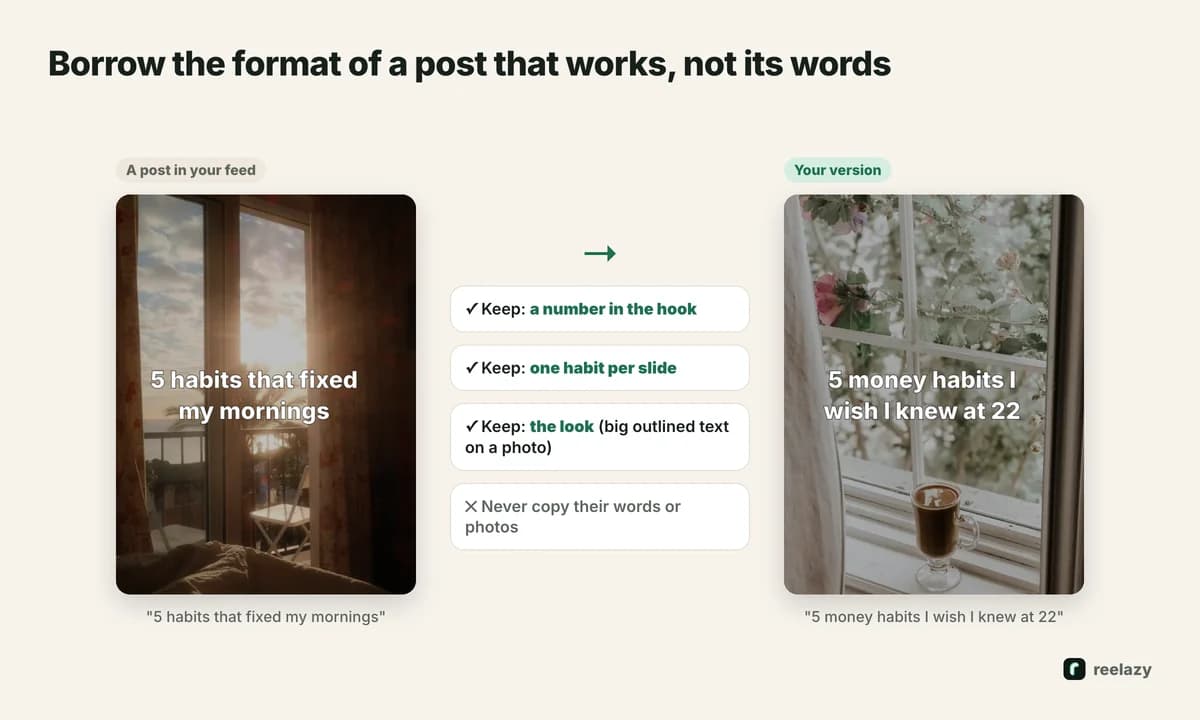
Borrow the format and write your own content into it. "5 habits that fixed my mornings" becomes "5 money habits I wish I knew at 22": same number in the hook, one habit per slide, same big outlined text on a photo. Never copy the words or reuse the photos. That is someone else's work, and viewers notice.
This is what Reelazy is built on. Save a slideshow that works with the Chrome extension, or upload screenshots, and Reelazy copies its format: the structure, the hook pattern and the look. Then it writes a month of posts like it for your product, with licensed photos or your own, and posts them for you after you approve them.
Turn one idea into a month of posts
One idea is not one post. Keep the format and change the topic, and idea 1 alone gives you weeks of slideshows:
- 5 money habits I wish I knew at 22
- 4 grocery habits that cut my bill
- 5 payday habits that stopped my end-of-month panic
- 3 habits that made saving automatic
- 5 subscription habits worth stealing
Posting the same format often has a second benefit: you can compare posts fairly. When the format stays the same, the hook and the topic are what changed, so you learn which topics your viewers want.
For more examples by kind of app, see TikTok slideshows for language learning apps, fitness apps and study apps.
Ideas to skip
- The product photo with a price as slide 1. It reads as an ad, and there is no reason to swipe.
- Made-up results. "This app saved me $10,000" from an account that never did. It is a false claim, and comments catch it.
- Trends built on a song you can't use. Business accounts only get TikTok's Commercial Music Library, and TikTok says businesses can't use the general library for commercial use (TikTok Ads help).
- Twelve slides of text. If a post needs that much, it is two posts.
Pick three ideas from the list, make one post of each, and see which one gets saved. Then make more in that format. Start free to have Reelazy make your first posts from a format you copy: Free includes 2 posts you can schedule to TikTok.
Frequently asked questions
What are good TikTok slideshow ideas for a business?
Posts that are useful without your product: a list of habits, mistakes and their fixes, uncomfortable truths, a routine step by step, questions customers ask. Put the product on the last slide, said softly.
Where can I find TikTok slideshow ideas in my niche?
Search your topic on TikTok and save the slideshows that got far more saves and comments than their account usually gets. Copy the format of those posts, not their words or photos.
Can I post the same slideshow idea more than once?
Yes. Keep the format and change the topic: one habits list becomes many. Avoid reposting the same slides, which adds nothing for viewers who saw the first one.
How many slides should a slideshow idea have?
Count from the content: one hook, one slide per point, one for the product. Most of the ideas above need 5 to 8 slides. TikTok allows up to 35.
Do slideshow ideas need a trending sound?
No. A sound helps the post feel finished, but on a business account you can only use TikTok's Commercial Music Library. Pick one from there that doesn't fight the text.