Best time to post on TikTok for slideshows (2026)
Best time to post on TikTok for slideshows: what Buffer's 7.1M-post and Sprout Social's 2026 studies found, why they disagree, and how to find yours.
· Updated · 6 min read · by Reelazy
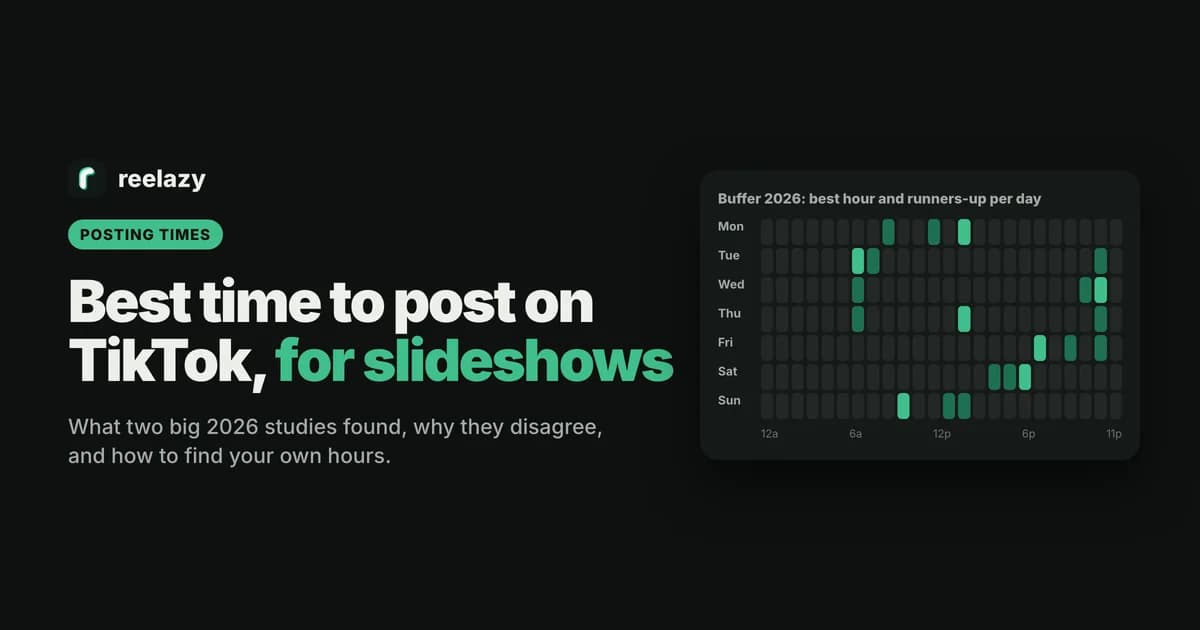
Search for the best time to post on TikTok and you get a confident answer from every page, and a different one from each. That is not because someone is wrong. The studies measure different things, on different accounts, over different months.
This page puts the two largest 2026 studies side by side, says what neither of them covers (slideshows in particular), and shows how to find the hours that work for your own account, then post your slideshows at those hours without being on your phone.
Best time to post on TikTok: what the 2026 studies say
Buffer looked at 7.1 million TikTok posts (videos, carousels, photos and text posts) published through its tool, and ranked the hours by median engagement rate (Buffer, September 14, 2026). Its best day is Saturday, then Monday, then Sunday. Buffer adjusted the times so you don't have to convert time zones.
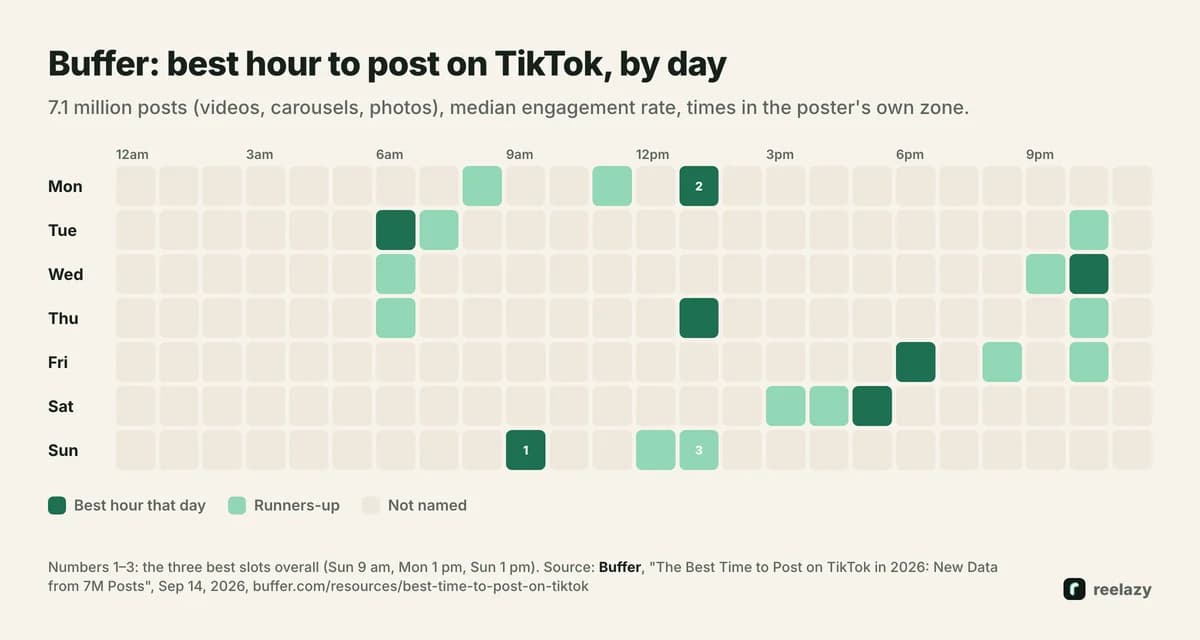
| Day | Best hour | Runners-up |
|---|---|---|
| Monday | 1 pm | 11 am, 8 am |
| Tuesday | 6 am | 10 pm, 7 am |
| Wednesday | 10 pm | 6 am, 9 pm |
| Thursday | 1 pm | 10 pm, 6 am |
| Friday | 6 pm | 10 pm, 8 pm |
| Saturday | 5 pm | 4 pm, 3 pm |
| Sunday | 9 am | 1 pm, 12 pm |
Sprout Social looked at nearly 2 billion engagements across 307,000 profiles of its customers, from November 27, 2025 to February 27, 2026, in each audience's local time (Sprout Social, March 31, 2026). It found the best days are Tuesday to Thursday, names Sunday the worst day, and gives no good times on weekends.
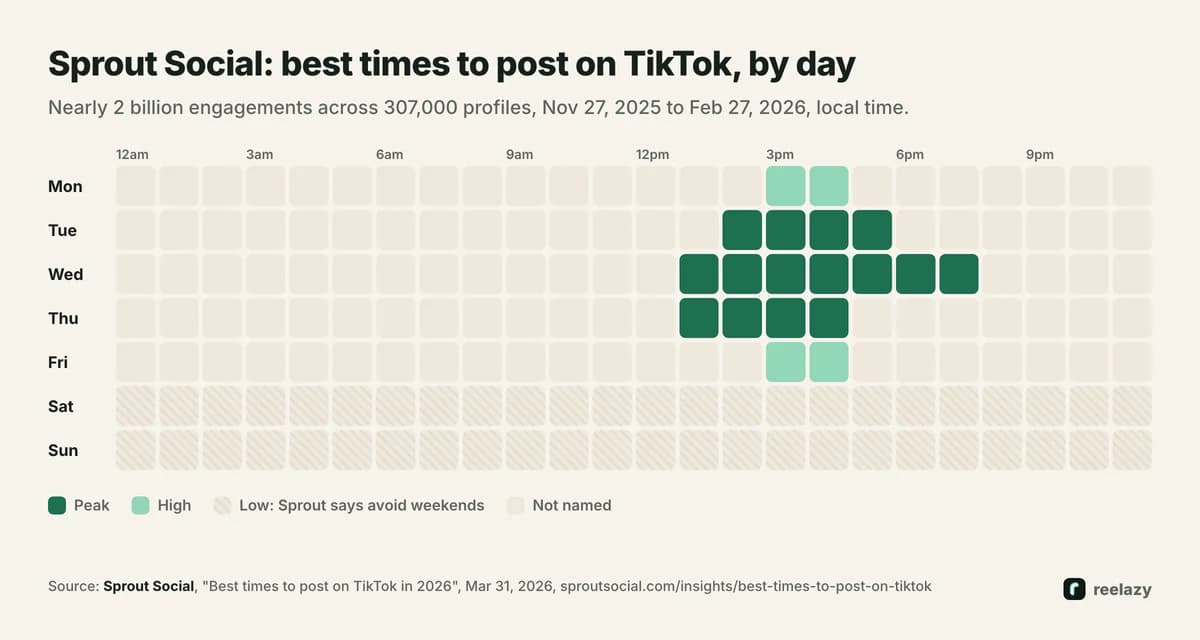
- Monday: 3 to 5 pm
- Tuesday: 2 to 6 pm
- Wednesday: 1 to 8 pm
- Thursday: 1 to 5 pm
- Friday: 3 to 5 pm
- Saturday and Sunday: none
Why the studies disagree
Put the two charts next to each other and they almost look opposite. Three differences explain most of it:
- What they count. Buffer ranks by median engagement rate per post, which ignores a few huge posts. Sprout counts engagements, which leans toward the hours with the most activity overall.
- Whose accounts. Buffer's data comes from posts published through Buffer. Sprout's comes from the profiles of about 30,000 Sprout Social customers. Different tools attract different kinds of accounts, with different audiences.
- When. Sprout's window runs from late November to late February, so it includes the holiday season.
Neither is wrong. They answer different questions, and neither one is about your viewers.
Is there a best time to post TikTok slideshows?
Not one anyone has published. Buffer's data includes carousels and photo posts but reports one answer for all formats, and Sprout's doesn't split by format at all. Anyone who gives you a separate best time for slideshows is guessing.
Two things do differ in practice when you post slideshows:
- They are cheap to test. A slideshow takes far less time to make than a video, so you can afford to post the same format at different hours and compare.
- With inbox drafts, the time is when you tap Post. If an app sends your slides to your TikTok inbox, the post goes public when you finish it in the app, not when the draft arrived. Only a direct post goes out at the scheduled minute.
Find your own best time to post on TikTok
TikTok shows you when your own viewers are on the app. In TikTok Studio, open Analytics and then Viewers. The Most active times section shows when your viewers were most active in the last 7 days, by hour and by day (TikTok Creator Academy, updated October 14, 2026). In the app, go to your profile, tap the menu, then TikTok Studio and Analytics. On a computer, it is the Analytics tab in TikTok Studio.
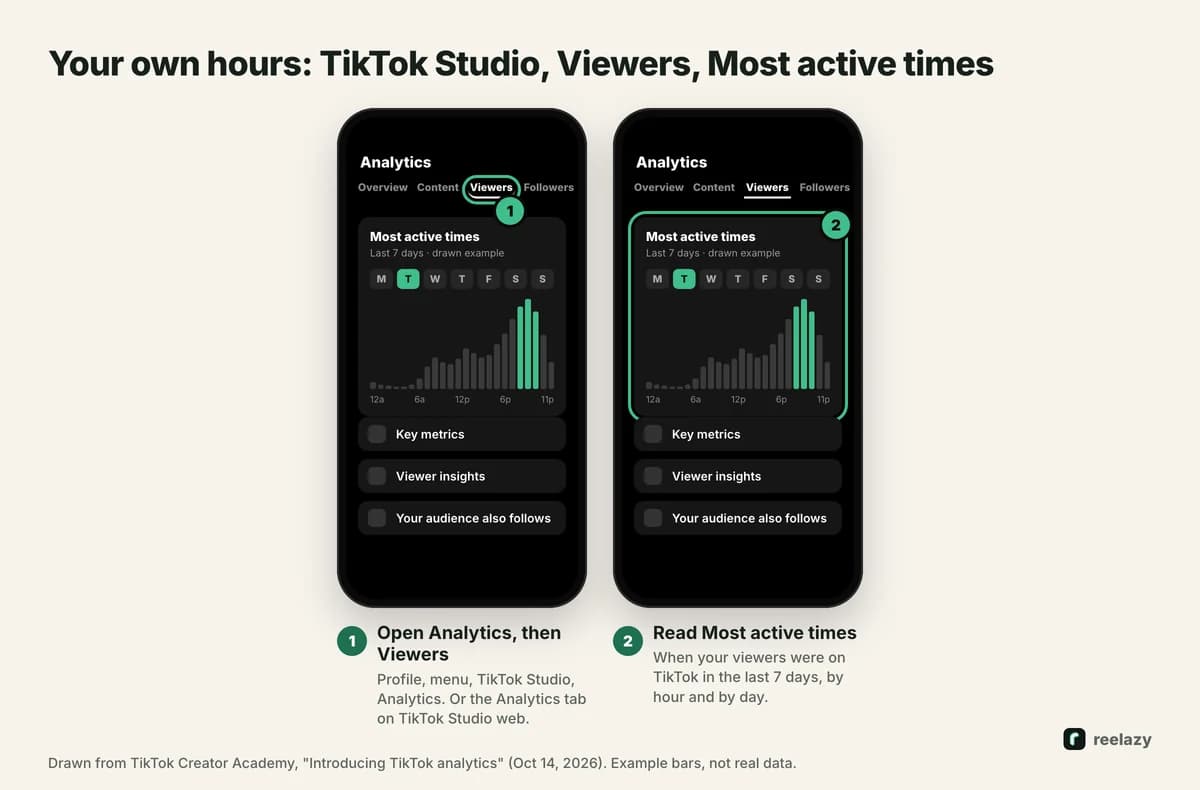
A new account with few viewers gets a thin chart. Until it fills in, start from the study times above.
A two-week test
- Pick three slots: one from Buffer's list, one from Sprout's, and your own busiest hour from Most active times.
- Post one slideshow a day, rotating the slots, for two weeks. Keep the format the same, so the hour is the main thing that changes.
- Compare per post after three days: views, saves and comments. Saves matter most for slideshows people come back to.
- Keep the best slot, and test one new slot against it the next month.
If you post from more than one account, test each one on its own. A @yourapp account in the US and one for Europe won't share their hours.
Posting slideshows at those times
TikTok's own scheduler lets creators and business accounts schedule videos from 15 minutes to 10 days ahead (TikTok for Business). TikTok doesn't document scheduling photo posts there, so check whether the option shows for slideshows on your account.
Apps that use TikTok's official Content Posting API can post photo posts at a set time. Two TikTok limits apply to every app: about 15 direct posts a day per account, and at most 5 inbox drafts waiting in 24 hours (content sharing guidelines).
In Reelazy, you set your time zone and your posting times once. Reelazy copies the format of a slideshow that works, makes a month of posts like it for your app, and you approve them all at once. Each post then goes out at its time, to your profile or to your TikTok inbox (how scheduling works). Example months are on TikTok slideshows for budgeting apps and productivity apps. Good hooks matter more than the minute you post, so start with the TikTok hooks library, and the TikTok photo slides guide for the rest. Start free: Free includes 2 posts you can schedule to TikTok.
Frequently asked questions
What is the best time to post on TikTok?
It depends on the study. Buffer's 2026 data puts Sunday at 9 am, Monday at 1 pm and Sunday at 1 pm on top. Sprout Social's puts Tuesday to Thursday, 2 to 6 pm, on top. Your own Most active times in TikTok Studio beat both.
What is the best day to post on TikTok?
Buffer found Saturday, then Monday and Sunday. Sprout Social found Tuesday to Thursday, and Sunday the worst. Test both on your account.
Is the best time to post the same for slideshows and videos?
No study has published separate times for photo posts. Buffer's data includes them but gives one answer for all formats. Use the same starting times and test.
Which time zone are the best times in?
Sprout Social's times are in your audience's local time. Buffer says it adjusted its times so you don't need to convert them. Post for the zone where most of your viewers live.
How often should I post TikTok slideshows?
TikTok gives no number. Post as often as you can keep the quality up, and the same format often enough to compare posts fairly. Apps posting through TikTok's API are limited to about 15 direct posts a day per account.