How to create a US TikTok account from outside the US (2026)
How to set up a US TikTok account when you live in another country and have no US SIM card: the phone, a VPN, a new Gmail, the warm-up and the first posts, step by step.
· 11 min read · by Reelazy
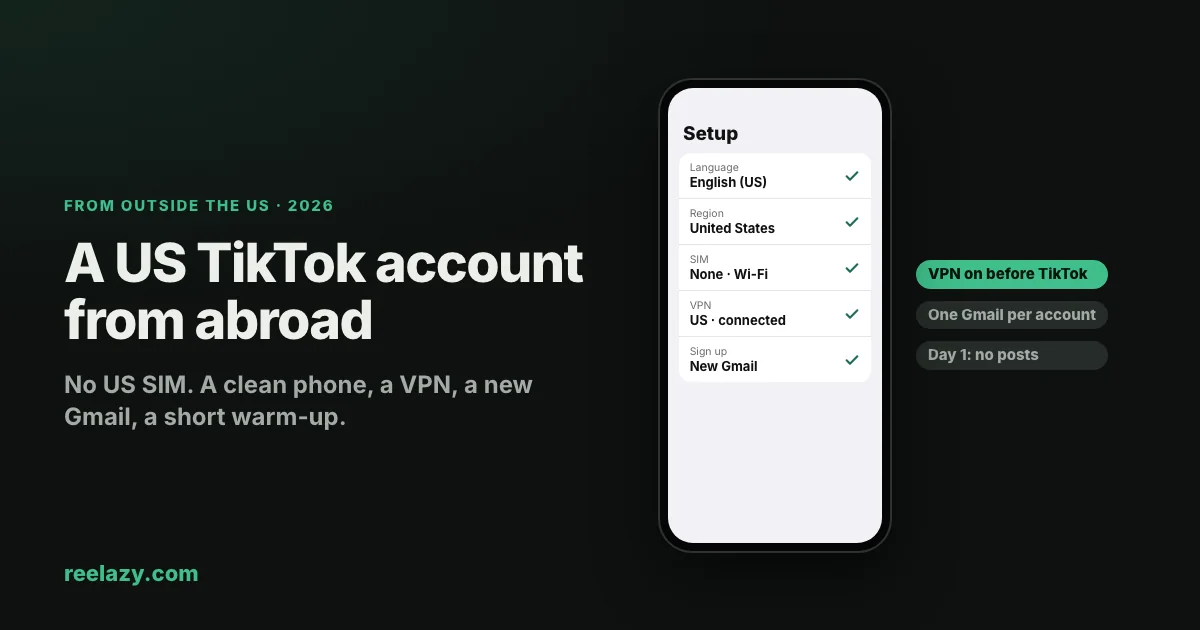
You build an app in Vietnam, India, Brazil or Poland, and most of your paying users are in the US. The usual advice, "create the account in the country you want to reach", doesn't help when you are not there and can't get a US SIM card.
This guide is for that case. It is how indie developers outside the US set up a TikTok account for American viewers with a VPN and a Gmail address, written as plainly as we can. It draws on what founders who do this report, including a step-by-step setup shared by a developer in Vietnam in April 2026, and on TikTok's own pages.
Read The risks in plain words, near the end, before you start. If you can create the account in the US, or a teammate there can, do that instead: see how to set up a TikTok account for your app.
How TikTok decides an account's country
TikTok sets the account's country at signup from what it sees then: the region of your SIM card or your IP address, plus the phone's own settings. Your posts are then shown mostly to people in that country.
Two things follow from that:
- The first minutes count most. If TikTok sees your home country at signup, the account is from your home country, whatever you do later.
- Changing it later is hard. A region change may require that you have actually been in the new country, and may only be allowed once.
What you need
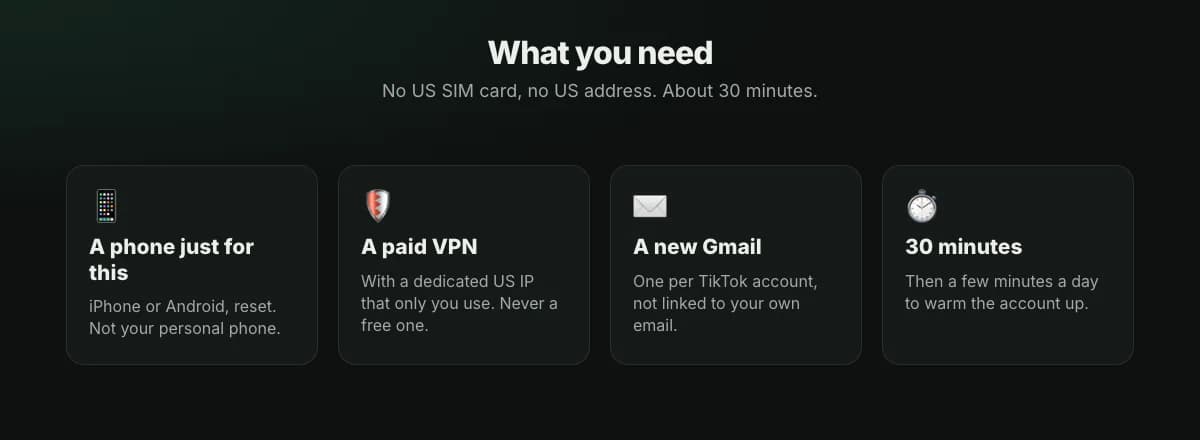
- A phone used only for this. An iPhone or an Android phone. Not your personal phone: it carries your home country in its settings, apps and history.
- A paid VPN with a US IP that only you use. Look for a "dedicated" or "static" US IP. Free VPNs and cheap shared ones put you on the same address as thousands of other people, and TikTok has often flagged those addresses already. This is the part not to save money on.
- A new Gmail address. One per TikTok account, not linked to your personal email.
- About 30 minutes, then a few minutes a day for the warm-up.
Step 1: Reset the phone and set it to the US
Start from a clean phone, so nothing on it points to your home country.
- Reset it. iPhone: Settings → General → Transfer or Reset iPhone → Erase All Content and Settings. Android: Settings → System → Reset options → Erase all data (the names differ a little by brand).
- On the first setup screen, pick English and United States. These set the phone's language, region, date format and currency.
- Take out your local SIM card. Use Wi-Fi only. A SIM from your home country is one of the strongest signals TikTok reads.
- Don't sign in with your old Apple ID or Google account on this phone. They carry your history and country. If the phone asks for one, create a new one with the new Gmail.
Step 2: Turn on the VPN first
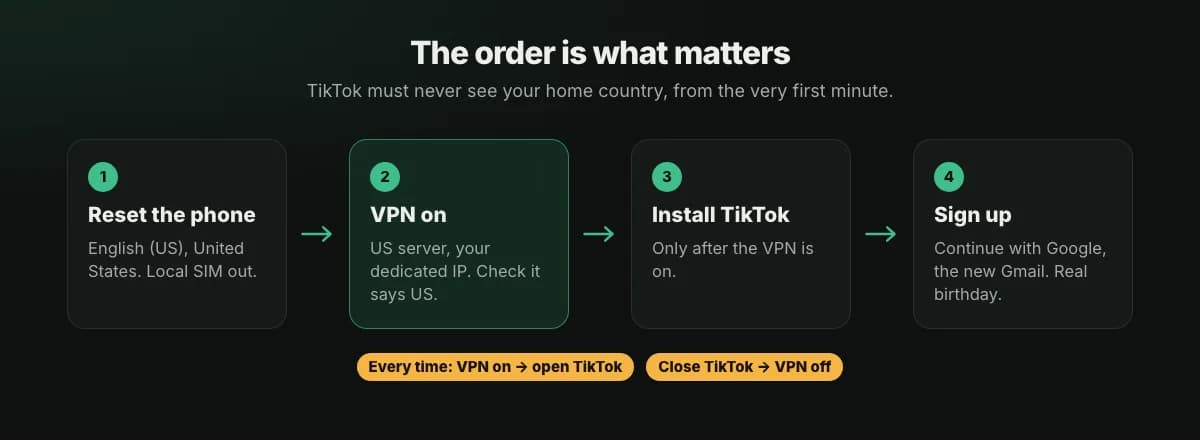
- Install your VPN app and connect to its US server (your dedicated IP).
- Check it worked: open a "what is my IP" page in the browser. It should say United States.
- Only now install TikTok.
From here on, one rule beats everything else: VPN on first, then open TikTok. Close TikTok first, then turn the VPN off. Every time, on this phone, no exceptions. One session from your real IP is enough for TikTok to log your home country.
Two more habits:
- Keep the same US server. Don't jump between countries, or between New York one day and Texas the next.
- Turn off TikTok's access to Location in the phone's settings. It doesn't need it.
Step 3: Sign up with Gmail
- Open TikTok (VPN on) and choose Continue with Google, with your new Gmail.
- Enter your real date of birth. Being 18 or older keeps every feature open, LIVE included.
- Pick a username that says what the account is about, add a profile photo and a one-line bio.
- Don't add a phone number from your home country, not now and not later.
One Gmail per TikTok account. Start with one account; add a second only once the first is clearly fine (see Common mistakes below).
Step 4: Check that the account is American
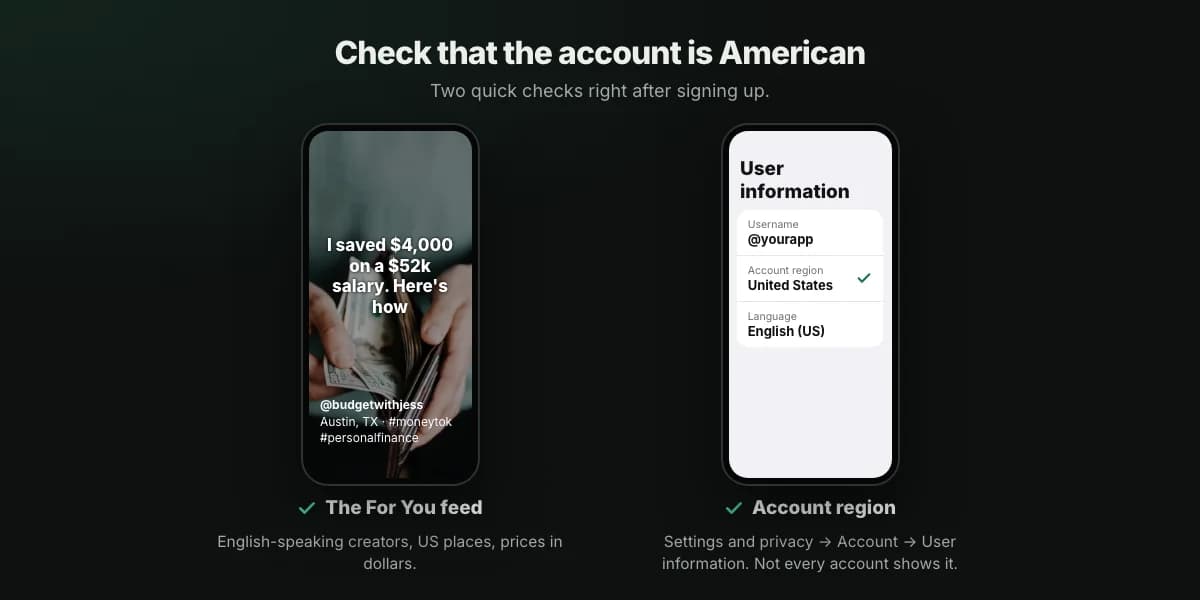
- The For You feed. Scroll for a few minutes. It should be English-speaking creators, US places, US prices in dollars. If it is full of creators from your country, the account was set to your country.
- Account region. On many accounts: Profile → ☰ → Settings and privacy → Account → User information → Account region. Not every account shows this row; if yours doesn't, go by the feed.
If the feed is clearly from your home country, it is usually easier to start again from Step 1 with a new Gmail than to try to change the region.
Step 5: Warm up for a day or two
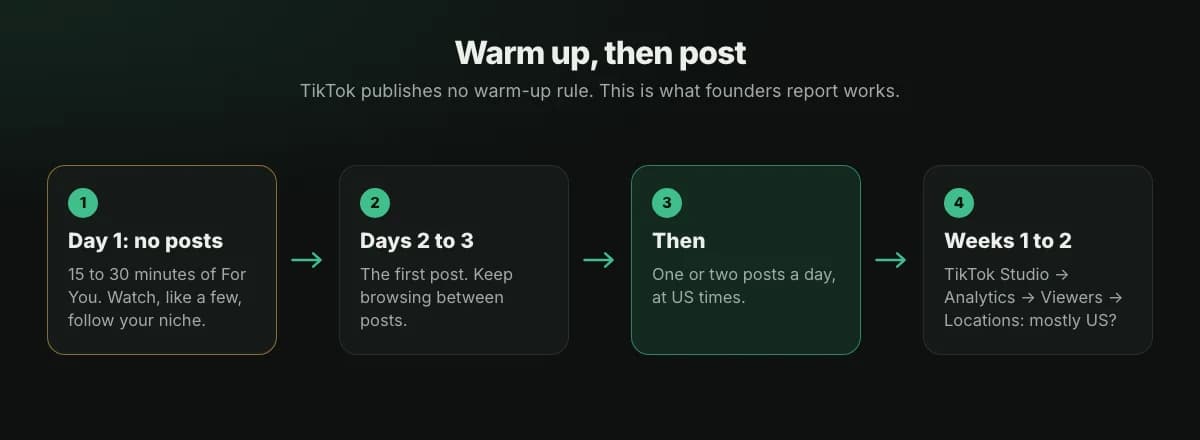
TikTok publishes no warm-up rule. Founders who run accounts like this still use a new account normally before posting, because accounts that post on day one more often stall at very low views.
- Day 1: no posts. Scroll For You for 15 to 30 minutes. Watch videos to the end, like a few, leave one or two real comments, follow a handful of accounts in your niche (if your app is a budgeting app: US personal finance creators).
- Days 2 and 3: the first post. Keep browsing between posts.
- After that: one or two posts a day.
Act like a person, not a script: no 50 likes in two minutes, no same comment on twenty posts.
Step 6: Post for American viewers
- Write the way Americans talk about your topic. Dollars, US paydays and holidays, US apps and stores as examples. One awkward phrase can tell viewers the account isn't for them.
- Post in the US afternoon and evening. The big 2026 studies put the strongest hours between about 2 pm and 9 pm Eastern time (see best time to post). In your time zone that is often the middle of the night or early morning:
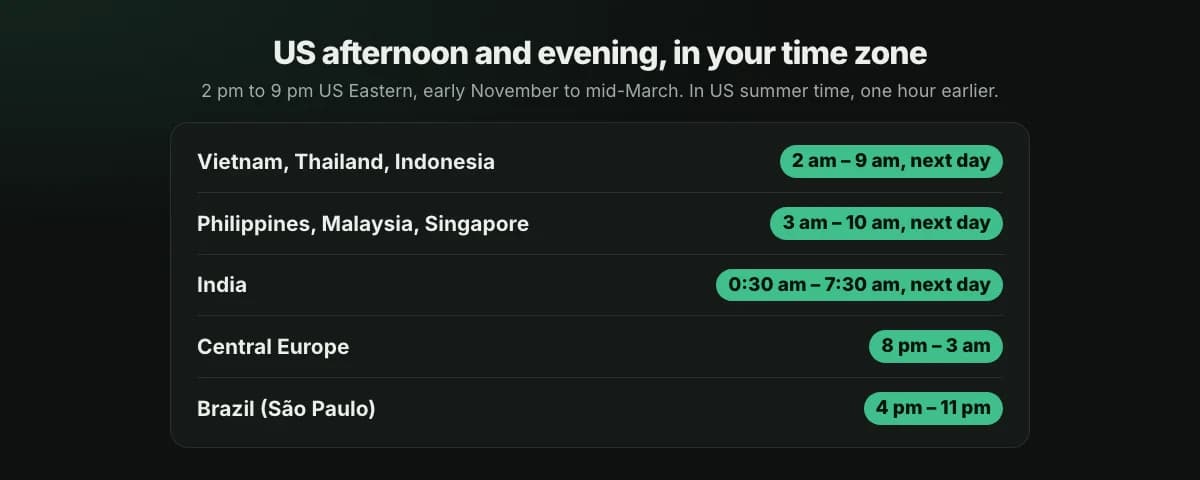
| You are in | 2 pm to 9 pm US Eastern is |
|---|---|
| Vietnam, Thailand, Indonesia (UTC+7) | 2 am to 9 am the next day |
| Philippines, Malaysia, Singapore (UTC+8) | 3 am to 10 am the next day |
| India (UTC+5:30) | 0:30 am to 7:30 am the next day |
| Central Europe (UTC+1) | 8 pm to 3 am |
| Brazil, São Paulo (UTC−3) | 4 pm to 11 pm |
US times from early November to mid-March. From mid-March to early November the US is on summer time: take one hour off each time in the table.
This is the main reason people outside the US schedule their posts instead of posting by hand.
Step 7: Check that you reach the US
After one to two weeks of posting, open TikTok Studio → Analytics and look at Viewers (or Followers) → Locations. Most of your viewers should be in the United States.
- Mostly US: it works. Keep going.
- Mostly your home country: something in Steps 1 to 3 gave you away, usually a session without the VPN or a home SIM. A new account from a clean start is usually faster than waiting.
- Very few views anywhere: that is a different problem; see TikTok 0 views on a new account.
Common mistakes
- Opening TikTok once without the VPN. The most common one. Make "VPN first" a habit before anything else.
- A free or cheap shared VPN. The IP is often flagged before you ever use it.
- Switching VPN servers between countries or US states.
- Putting your home SIM back in, or adding your home phone number to the account.
- Too many accounts on one phone. Founders keep it to two or three at most, and add the next one only after the first is doing well.
- Posting on day one, or the same post again after it flopped.
The risks in plain words
TikTok's terms of service ask for accurate account information, and its Community Guidelines don't allow account behaviour that misleads TikTok about an account's identity or approximate location. Setting up an account through a VPN to look American goes against that.
What that can mean in practice:
- Lower reach or a hidden account, often without any notice.
- A banned account, and in rare cases a banned phone.
- No easy appeal, because the account's information isn't accurate.
Many founders accept that risk because the US pays for apps far better than their home market. Decide with that in mind, keep the account's content original and honest, and don't put more than you can afford to lose on one account.
Posting with Reelazy
Once the account works, connect it to Reelazy. Reelazy writes and lays out your slideshows and posts them through TikTok's official API at the US times you pick, so your phone doesn't need to be awake at 3 am.
- Posting through the API doesn't change the account's country, which was fixed at signup.
- Keep the VPN rule on your phone. Whenever you open the TikTok app, for example to add a sound to a post sent to your inbox, turn the VPN on first.
Checklist
- A phone used only for this, reset, English (US), United States.
- No local SIM, Wi-Fi only, no old Apple ID or Google account.
- A paid VPN with a dedicated US IP, connected and checked.
- TikTok installed after the VPN, signed up with a new Gmail, real birthday.
- No home phone number on the account.
- For You feed is American.
- Day 1 only browsing; first post on day 2 or 3.
- Posts in English, at US afternoon and evening times.
- Viewers checked after one to two weeks.
Frequently asked questions
Can I create a US TikTok account without a US SIM card?
Yes. Founders do it with a phone that has no SIM, set to English (US) and United States, and a paid VPN with a dedicated US IP turned on before TikTok is installed. It goes against TikTok's rules on accurate location, so the account can be limited or banned.
Which VPN should I use?
A paid one that gives you a dedicated (static) US IP that only you use. Avoid free VPNs and cheap shared ones: their addresses are shared by many people and are often flagged by TikTok already.
I opened TikTok once without the VPN. Is the account lost?
Not always. Check the For You feed and, after your first posts, where your viewers are. If they are mostly in your home country, starting again from a reset phone with a new Gmail is usually faster than trying to fix it.
How many TikTok accounts should I have on one phone?
One to three, starting with one. TikTok publishes no limit, but founders who run accounts like this keep it to two or three per phone, and add the next one only after the first has steady views for a week or two. Keep each phone to one country, since every account on it shares the same VPN IP, and give each account its own Gmail and its own angle. If TikTok ever blocks the phone itself, every account on it is affected, so don't put all your important accounts on one device.
Can I change my TikTok account's region to the US later?
Sometimes, in Settings and privacy → Account → User information → Account region, but not every account has the option, TikTok may require that you have actually been in the US, and it may only be allowed once. It is easier to get it right at signup.
Do I need the VPN when Reelazy posts for me?
No. Reelazy posts through TikTok's official API from its own servers, and that doesn't change the account's country. You still need the VPN on whenever you open the TikTok app on your phone.